rDaynamica is an open-source R package, built at the University of Minnesota by researchers who run Daynamica studies. It takes you from a raw data export to cleaned person-days, summary tables and publication-ready figures, and it ships with an anonymized sample dataset so you can try every step before your own data arrives. To see what it does before installing anything, open the Daynamica Data Explorer, an interactive app built on the package.
The Daynamica Data Explorer is an interactive app built on the rDaynamica package. It shows how Daynamica data is structured and what the package’s functions do with it, so you can get a feel for the analysis without installing R. When you’re ready to work with your own study, the package gives you the same tools in a reproducible script.
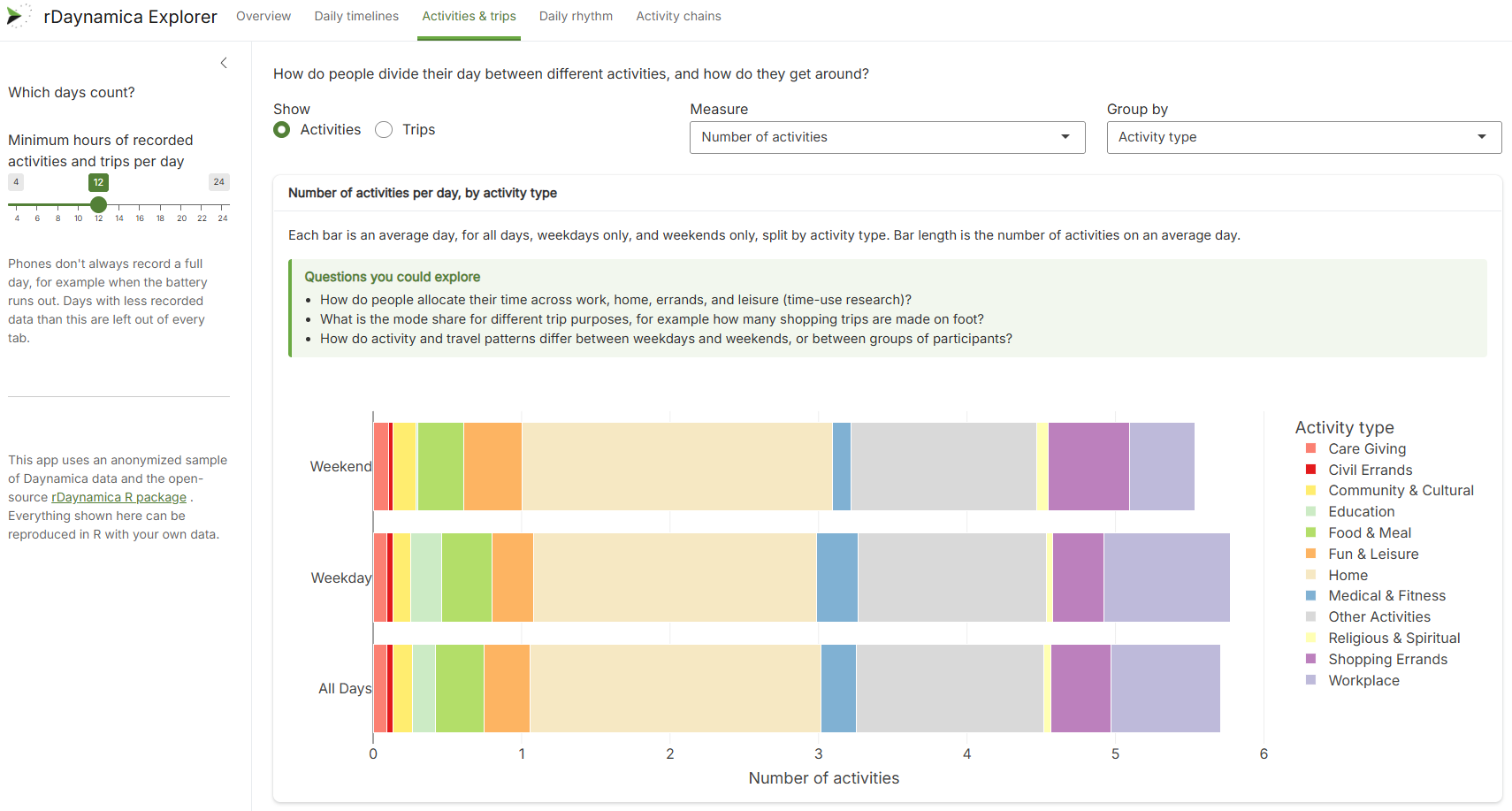
The Activities & trips tab, using the sample dataset that ships with the package. The minimum-hours slider is the same valid-day decision as step 4 of the pipeline below.
Each module is one function call and stands alone, so you can run only the ones you need, in any order.
Module 1
Standard analysis report
run_standard_analysis()
The first thing to run on any new dataset. It produces an HTML report with the tables most studies need to describe their data:
Enrollment and data collected over time
Activities and trips per participant-day
Trip and activity summary statistics
Trips by primary mode and by purpose
Day-level views for selected participants
Every table can be exported as a CSV, which makes it the quickest route to a descriptive Table 1.
Module 2
Calendar visualizations
run_visualization_report()
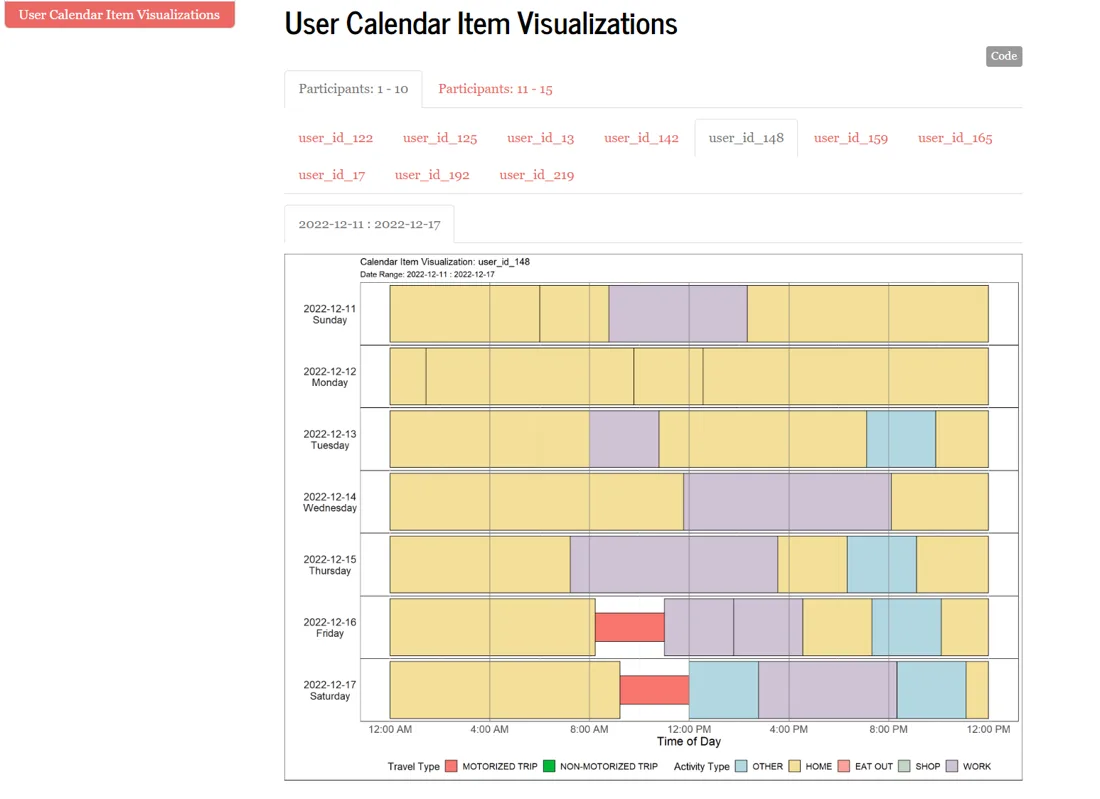
Each participant’s days as rows of colour-coded activities and trips, with control over colours and the time window shown. Useful for quality checks and for showing reviewers what the raw data looks like.
Module 3
Chord diagram animation
generate_chord_diagram_gif()

An animated view of how a whole sample moves between activities through the day. It works best once subtypes are collapsed into a handful of categories with recategorize_calendar_items(). Good for presentations and for spotting weekday and weekend differences at a glance.
Module 4
Activity chains
run_activity_chains_report()
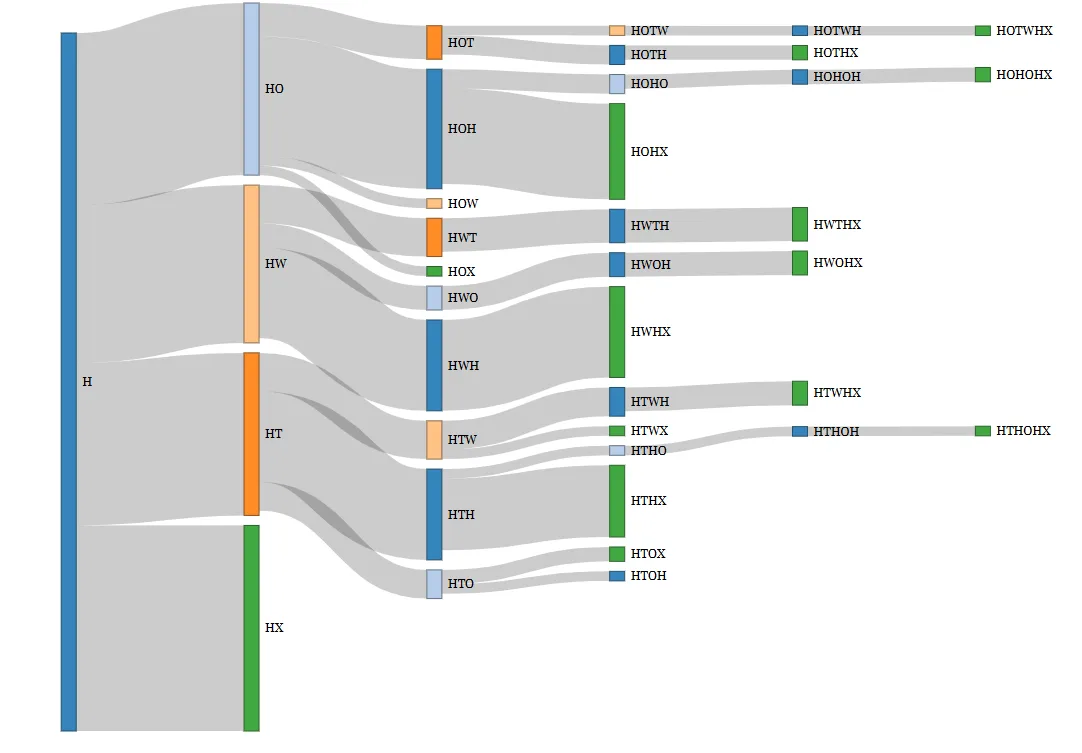
Collapses a whole day into a short sequence such as home → work → shop → home by dropping timing and keeping order. This makes population-level patterns countable. The module is written as a tutorial, so it doubles as an introduction to sequence-based analysis.
Quick start
Explore first, if you like. The Data Explorer lets you try the package’s tools in your browser, with nothing to install.
Install the package from GitHub with pak::pak("Daynamica-Repositories/rDaynamica"), then load it with library(rDaynamica).
Run the example workflow.examples/master_analysis_file.R in the GitHub repository uses the bundled sample data, so every module runs as-is and you can see what each one produces.
Point it at your own data. Change the path2dict() call to the folder holding your export, and give each module its own output folder.
The example script is extensively commented and is a good starting point for your own analysis. The pipeline below walks through its key steps.
The pipeline, step by step
Steps 1–4 run once per dataset, before any module. The function names below are the ones the package exports.
1
Import your exports
Daynamica data arrives as a set of CSV tables that share a file prefix. One call reads them all into a named list, which every later step works on. The sample dataset ships inside the package, so you can follow along before your own export arrives.
R
library(rDaynamica)
# Files are named <prefix><table><suffix>.csv,# e.g. anonymized_ucalitems.csv
data_path <- system.file("extdata", "anonymized_data",
package = "rDaynamica")
csv_dict <- path2dict(folder_path = data_path,
file_prefix = "anonymized_")
2
Clean and standardize
Bring older export formats up to the current schema, drop test accounts, and label each trip with the purpose of the activity it leads to. A pair of join functions attaches in-app survey answers to the episodes they describe.
R
# Harmonize older export formats with the current schema
csv_dict <- ucal_items_version_updater(csv_dict)

# Drop test accounts by keyword or by explicit ID
csv_dict <- exclude_user(csv_dict, c("user_id_382", "user_id_422"))

# Give each trip the purpose of the activity it ends at
csv_dict$ucalitems <- assign_trip_purpose(csv_dict$ucalitems)

# Attach episode-level survey answers to each episode
csv_dict$ucalitems_survey <- survey_join_id(
  csv_dict$calendar_item_survey, csv_dict$ucalitems)
csv_dict$ucalitems_ljoin_ucisurvey <- ucalitems_ljoin_ucisurvey(
  csv_dict$ucalitems_survey, csv_dict$ucalitems)
3
Split into person-days
An evening at home runs past midnight, so episodes that cross the day boundary are split into single-day records. You set the study’s time zone and the hour a new day begins.
This is the analytic decision that most affects your results, so the toolkit makes it explicit rather than burying it. Summarize every person-day, see how many days survive at thresholds from 8 to 24 hours, then filter.
R
# Hours observed, hours confirmed, and app interactions per person-day
csv_dict$day_summary <- get_per_day_duration(
  csv_dict$ucalitems_ljoin_ucisurvey_split)

# How many days survive at 8, 12, 16, 20 and 24 hours?
count_valid_per_days(day_summary = csv_dict$day_summary,
                     numerator_col = "with_subtype",
                     denominator_filter = "interact_by_confirm>0")

# Keep days with any app interaction and 12+ confirmed hours
minimum_hours <- 12
query_text <- paste0("(interact_with_app>0)&(with_subtype>=",
                     minimum_hours, ")")
csv_dict_sub <- filter_valid_days(csv_dict, query_text)
Whatever threshold you choose, report it in your methods section. The summary table from count_valid_per_days is a ready-made supplementary table.
5
Generate a report
Each analysis module is a single function. Pass it the cleaned data and an output folder, and it renders the module’s R Markdown template to a self-contained HTML report.
A common next step is to run the same report for different groups, such as intervention and control arms, age bands, or weekday and weekend days, and compare them side by side. Filter the cleaned data to the IDs in each group, then run the module again with a different output folder.
R
# IDs for one arm, e.g. from your enrollment records
arm_a <- c("user_id_112", "user_id_121", "user_id_125")
csv_dict_arm_a <- select_userids(csv_dict_sub, arm_a)

# Then run any module on that subset
run_standard_analysis(csv_dict_arm_a, output_dir = "outputs/arm_a"
The data it expects
rDaynamica reads the standard Daynamica export, which contains three tables:
ucalitems
One row per detected episode, either an activity or a trip. It includes start and end times, type and subtype (such as HOME, WORK, CAR or WALK), duration, distance, route, and when the participant confirmed or edited the episode.
calendar_item_survey
Answers to in-app questions attached to a specific episode, such as who a participant was with on a trip or how they felt. Joined to episodes by calendar_item_id.
ema_survey
Scheduled questions that aren’t tied to one episode, such as end-of-day check-ins. Keyed by participant and date.
The bundled sample has 18,714 episodes from 129 participants, 32,484 episode-level survey answers, and 7,263 scheduled survey answers. All IDs are anonymized.
Where it came from
Andrew Becker and Yaxuan Zhang developed rDaynamica under the supervision of Yingling Fan and Ying Song, with funding from the Humphrey School of Public Affairs at the University of Minnesota. Its modules are based on analysis code from real Daynamica studies:
If you run an analysis that the package doesn’t cover yet, the developers want to hear about it. Open an issue on GitHub or get in touch.
Planning a study? Start with the analysis
Knowing how you’ll analyze the data shapes the protocol: how many days to collect, which surveys to attach to which episodes, and what counts as a valid day. We’re happy to talk through both.
 DAYNAMICA